A baby monitor lets you listen to or see your baby from another nearby room, and some connected models also support access away from home. Its usefulness depends as much on setup as on the camera. Begin with the manual for your exact model, a secure location and a plan for what to do if the connection drops.
Gear2 products, compared
Baby monitor setup: a practical guide for your first week
Set up a baby monitor with clear sound, useful notifications, sensible caregiver access and safer cord placement, then check it in your own home.
Jump to a section
The quick answer
Install the exact model according to its manual, keep equipment and cords out of reach, then test sound, night viewing, charging and caregiver handoff in your own home. A local VTech VM819 and an app-based Nanit need different setup steps.
- VTech VM819: a compact dedicated screen without Wi-Fi.
- Nanit Smart Baby Monitor System: app access and optional sleep history.
- Use the exact model manual, including all size and developmental limits.
- Details come from manufacturer documentation; Emily has not claimed hands-on testing.
At a glance
The details that make a difference when you’re deciding.
| Product | Useful for | Detail to know | Before buying |
|---|---|---|---|
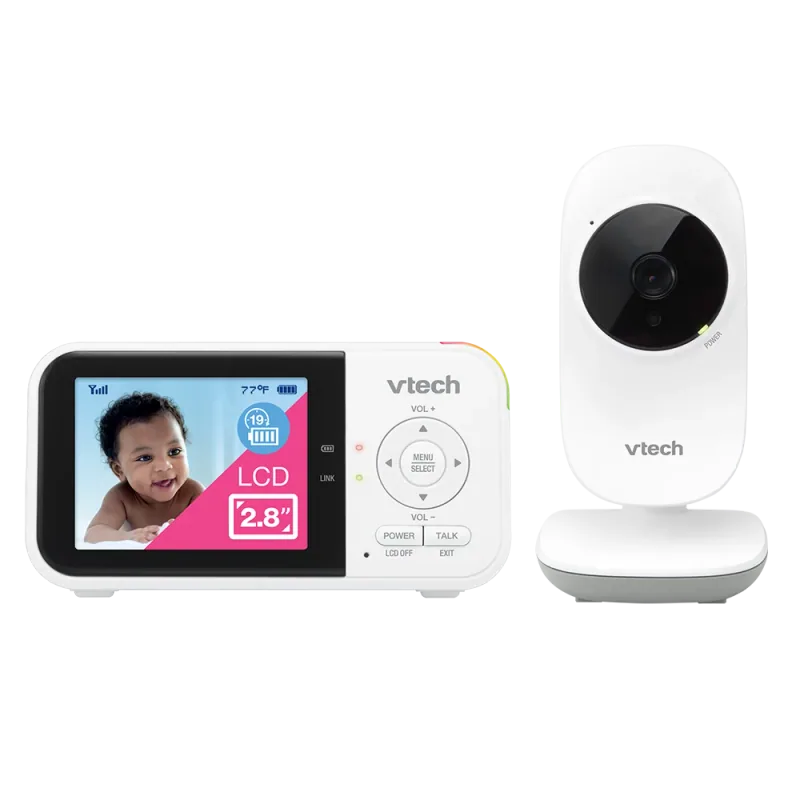
| VTech VM819 | A compact dedicated screen without Wi-Fi | 2.8-inch color parent display | Small display limits visual detail |
| Nanit Smart Baby Monitor System | App access and optional sleep history | Wi-Fi camera with iOS and Android app access | Account and network setup required |
A closer look
Products mentioned in this guide
Actual product photos, manufacturer information, and direct links. Comparisons are based on published specifications; these are not hands-on test results.
01
A compact dedicated screen without Wi-Fi
VTechVTech VM819
The VM819 keeps the basic task straightforward: a camera talks to a separate handheld viewer. Its small screen is easy to carry, although parents who want a wide picture may prefer a larger model. This is a practical example for grandparents, visitors, or households that want to leave their phone available for calls. Manufacturer range and battery figures are maximum claims, so check reception in your actual bedrooms and kitchen. The camera still needs power even when the parent unit is running on its battery.
- 2.8-inch color parent display
- Direct connection without home Wi-Fi
- Two-way talk and night vision
- Temperature display and sound activation
Where it fits
- Separate viewer for caregiver handoff
- No router login for routine use
What to weigh up
- Small display limits visual detail
- No away-from-home app viewing
02
App access and optional sleep history
Nanit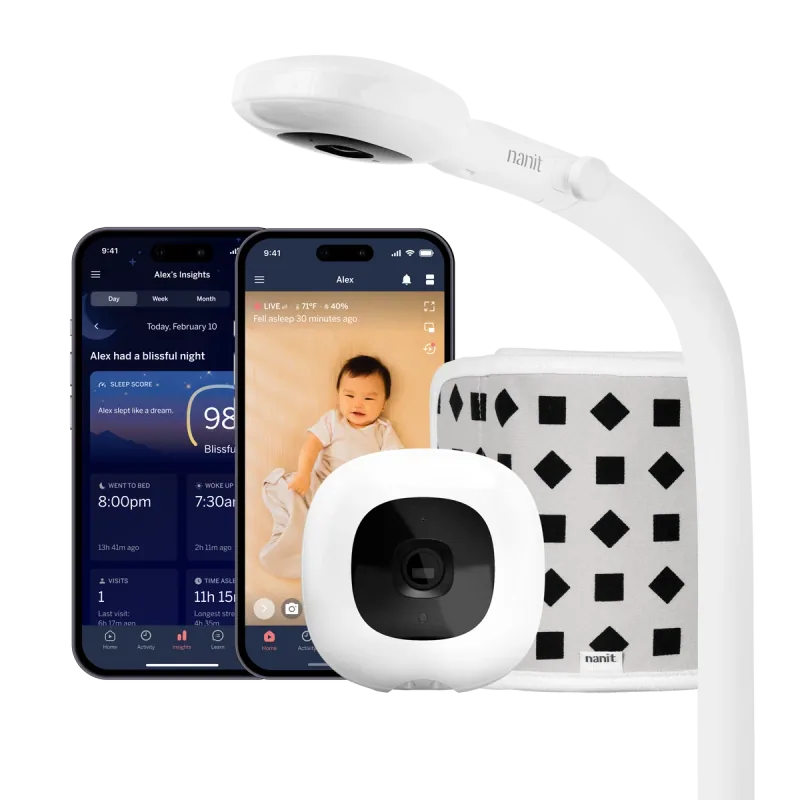
Nanit Smart Baby Monitor System
Nanit is a useful comparison point when remote viewing matters more than having a small receiver in your pocket. The Pro camera can be purchased with a wall mount or floor stand, and an optional dedicated display changes the at-home viewing experience. Separate the camera purchase from the Insights decision: live viewing and paid history are different needs. Before choosing a bundle, work out where the mount fits and which caregivers need access. This is a comparison of published features, not a hands-on review.
- Wi-Fi camera with iOS and Android app access
- Wall mount and floor stand packages
- Optional 8-inch display package
- Additional Insights features require a subscription
Where it fits
- Remote caregiver access
- Choice of mounting and viewing packages
What to weigh up
- Account and network setup required
- Budget separately for optional Insights
Pick a setup example before you begin
The VTech VM819 is a useful example of a direct camera-to-viewer system: setup revolves around powering the camera, charging the receiver and checking the connection. Nanit adds a home-network connection, an account and caregiver access. Those differences affect the first hour of setup more than the color of the camera. Open the manual for the exact model, lay out every supplied part and identify the mounting hardware before installing anything.
If you received the monitor as a gift, photograph the model label and save the order details. The name on a registry may describe a whole family of products. A two-camera kit, a replacement camera and a complete starter kit are not interchangeable purchases. Match the contents against the manufacturer’s list before disposing of packaging.
A first-week check that finds real problems
Day one: installation and daytime sound. Ask another adult to remain with the baby while you carry the receiver through your usual rooms. Listen to normal speech from a safe distance rather than making a loud sound beside the baby. Check what happens when a door closes and when you move to a different floor. Note any dead spot so you do not discover it during a rushed nap.
First evening: darkness and charging. Check the actual night view with the room arranged as it will be used. A bright lamp reflecting into the lens, a canopy edge or an incorrect angle can make a nominally good camera less useful. Place the charger where an adult can reach it easily while keeping every cable beyond the child’s reach. Decide who checks the battery before bedtime.
Next day: handoff. Have another caregiver use the system without you pointing at the buttons. If they cannot tell a sleeping screen from a disconnected camera, improve the handoff note. Write the model number, charging location and support link in one place. Do not share a primary account password when the product has a caregiver-invitation function.
Separate nuisance alerts from useful information
An app that sends frequent movement alerts may become less helpful if everyone starts ignoring it. Learn what each setting detects, then choose settings that match your reason for using the monitor. Do not treat a room-temperature reading as a medical assessment of the baby, or a consumer breathing-motion feature as proof that a child is safe.
When a connection fails, check the baby directly first. Then work through one cause at a time: power, parent-unit charge, distance, router connection or app permissions. Repeatedly resetting everything can obscure the original problem. Keep a brief record of when a fault occurs, which devices are involved and whether audio, video or both disappear. That is useful evidence for support and for a return decision. If you are still shopping, the monitor comparison separates local, app and hybrid options.
Decide what you need to notice
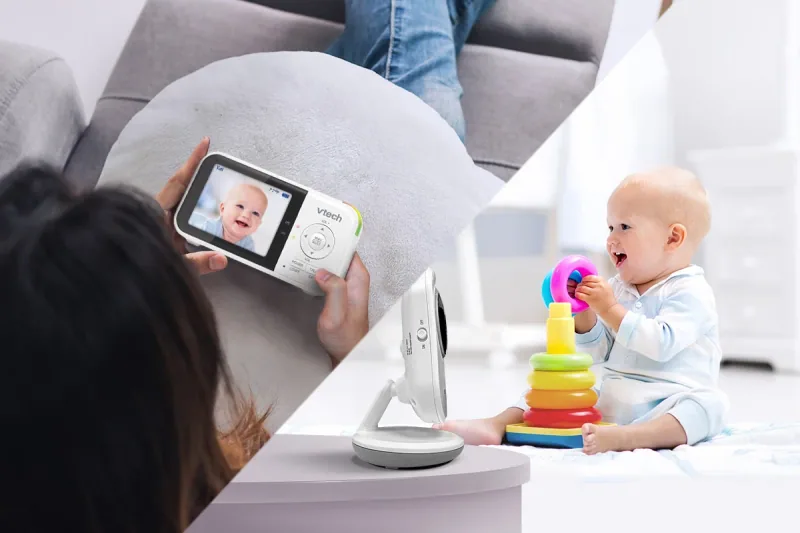
Think about the information you actually want. Audio may be enough to tell you that your baby is awake. Video can help you see whether a noise is a brief movement or a fully awake child. Extra charts and alerts are optional information, and more notifications do not automatically make a device easier to use.
Keep your expectations realistic. A consumer monitor is a communication aid; it does not establish that a baby is medically well. The American Academy of Pediatrics says home cardiorespiratory monitors should not be used as a strategy to reduce SIDS risk. Continue following AAP safe-sleep guidance.
Choose the camera position before drilling
Use the manufacturer-approved mount and hardware. Look for a stable view that will still work when the crib mattress is lowered. Avoid improvised attachments to the crib rail or a shelf that a child could eventually reach.
Route the entire cord, including slack and the section near the outlet. CPSC's warning explains why accessible cords are hazardous and advises keeping cords at least three feet from every part of the crib, bassinet or other sleep space, and beyond the child's reach. Check the CPSC monitor safety message. Reassess the position when your baby becomes more mobile; a location that seemed distant to a newborn may be accessible to a standing toddler.
Test sound and range during the day
With another adult present, leave the camera in its intended position and take the receiver or phone to the kitchen, bedroom and other usual locations. Listen at a comfortable volume with doors in their normal positions. Note any room where reception becomes unreliable.
For an app-based model, confirm which permissions it needs and whether audio continues with the phone screen locked. For a parent unit, check charging and the low-battery warning. Test an ordinary disconnect and reconnect so the first troubleshooting attempt is not at two in the morning.
Give caregivers a simple handoff
Write a short note covering charging, volume, the meaning of warning symbols and where the manual is saved. Explain whether a dark screen means standby or a lost connection. Avoid assuming a visitor will know the difference.
For connected systems, invite caregivers through the manufacturer's account-sharing tools when available instead of distributing the main password. Use a unique password, enable additional authentication where supported and remove access when it is no longer needed. Verify these settings after major app changes.
Recheck the setup as your routine changes
After a move, router replacement or nursery rearrangement, repeat the range check. Clean the camera lens using the approved method and inspect the mount and cords periodically. If alerts become overwhelming, review settings instead of abandoning the device's warning sounds entirely.
Keep the return window in mind during your first week. Document a persistent problem with the model number, software version and the circumstances in which it happens. That gives customer support a useful starting point and helps you distinguish a setup issue from a product that simply does not suit your home.
A few more details
Your questions, answered
Do I need video on a baby monitor?
Not necessarily. Audio may meet your needs if you only want to hear when your baby wakes. Video adds context, but does not replace checking on your baby.
Where should I put a baby monitor?
Follow the specific mounting instructions and keep all cords and equipment out of reach. CPSC advises keeping cords at least three feet from every part of the crib, bassinet or other sleep space.
What should I check before the return window closes?
Test normal sound from each room you use, the night view, charging, connection warnings and a caregiver handoff. An app-based system also needs account-sharing and phone-setting checks.
Does a rechargeable parent unit mean the camera is cordless?
No. On the examples in this guide, the nursery camera needs a power connection. Plan the outlet and safe cord route before choosing a mount.
Sources & product information
Follow the original sources for current product details, instructions, and guidance.